Every rail, with the load-bearing details.
Apiovnia is small on purpose. Below is the entire surface — what each part does, why it works that way, and what was deliberately left out. If you scroll to the bottom and feel the list is short, the list is short. That's the feature.
Overrides, not variable soup.
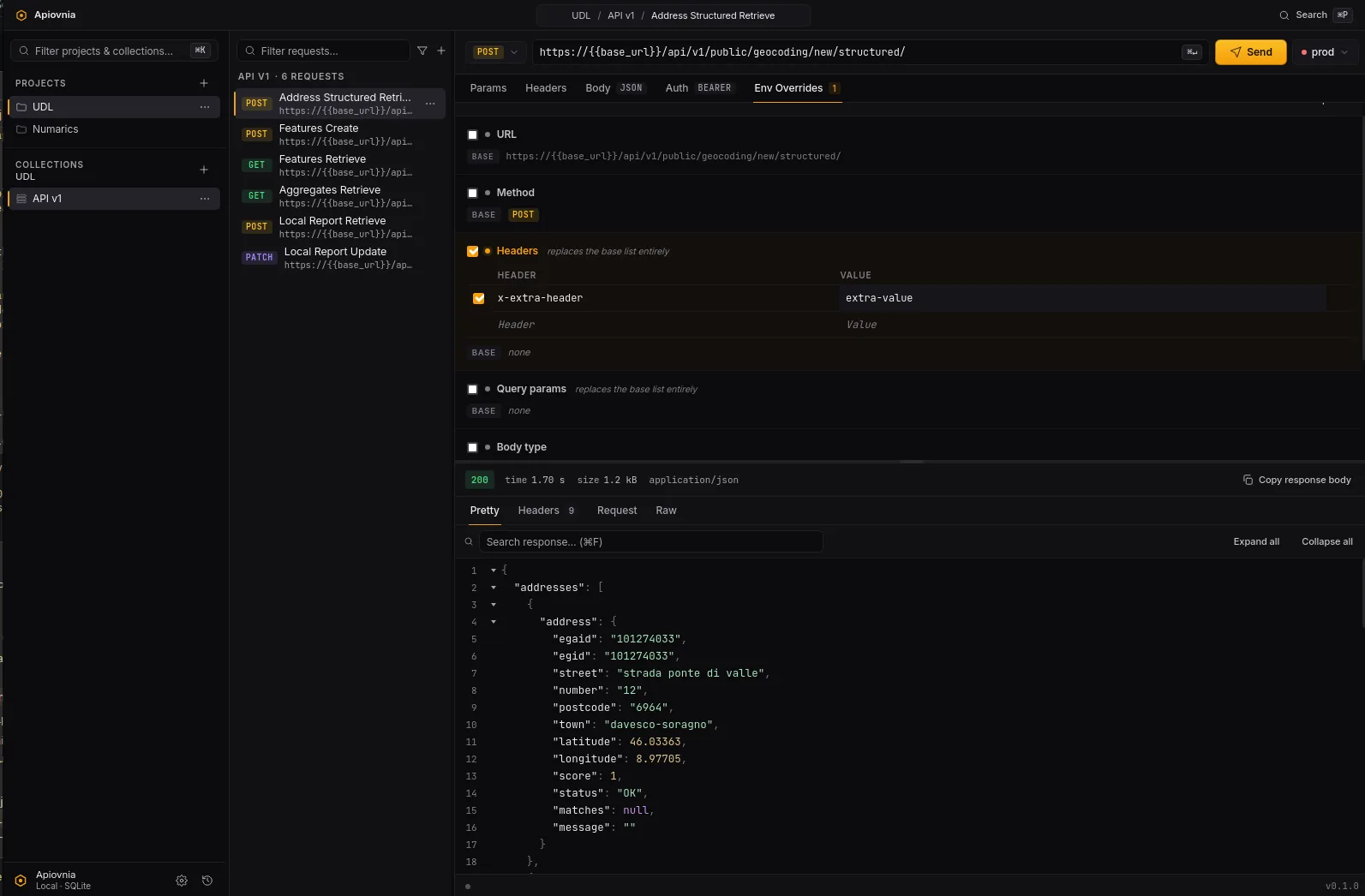
Every project gets its own list of environments — typically dev / stage / prod. One request, one base definition. Per (request, env), patch the fields that actually differ: URL, auth, a single header. The amber dot in the tab strip tells you which tabs carry overrides for the env you're looking at. You always know what's about to leave your machine.
Resolution order is fixed: request > env override > base. Headers and params overrides are full replacements, not per-key merges — explicit beats clever every time. The resolver is a pure function in apiovnia-core with 33 unit tests, so changing envs never changes execution behaviour outside the documented path.
And the {{name}} interpolation runs after the override merge, so an env variable can fill a hole left by an override — including inside encrypted values, decrypted in Rust before the request is built.
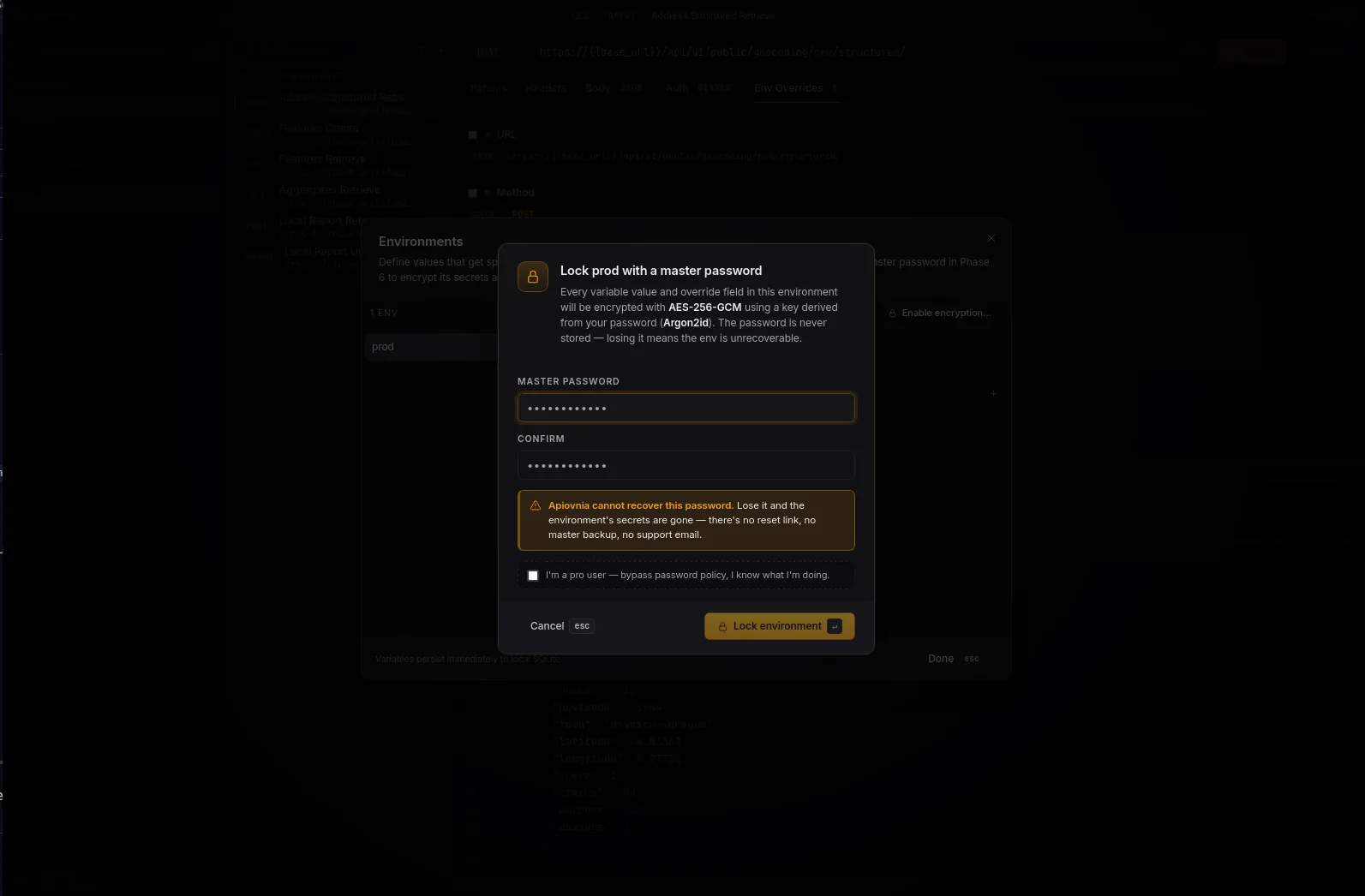
Set a master password. Lock on quit.
Mark an env as encrypted. Pick a password. Once. From that moment, every variable value and every secret-bearing override field (auth tokens, anything in an Authorization or Cookie header) gets sealed with AES-256-GCM. Argon2id with OWASP 2024 baseline parameters derives the key. The zxcvbn meter shows you a live "cracking time" line — anywhere from ~3 days to ~centuries — with an explicit pro-user bypass for when you know what you're doing.
The decryption key never crosses the IPC boundary. The frontend sends a request ID + env ID; the resolver runs in Rust, decrypts in process, builds the wire request, and returns the response. Decrypted env override values are never logged.
Idle auto-lock is 10 minutes, checked on every with_key access — leaving the unlock modal open doesn't extend a session. Locked envs trigger the unlock prompt automatically with a retry hook that re-runs the original Send / Copy / Export. 21 crypto tests.
The crypto is boring on purpose. Boring is what you want from crypto.
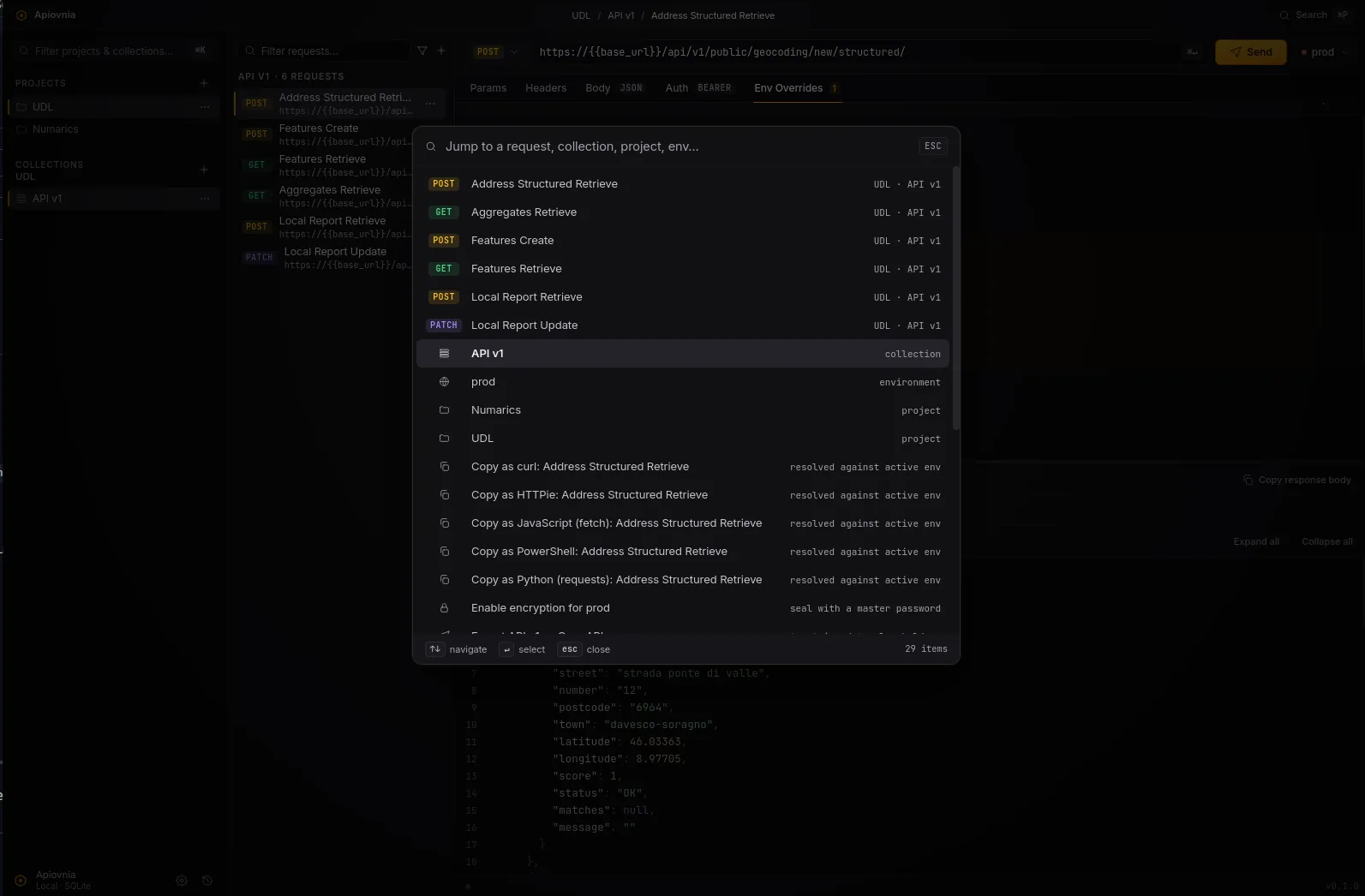
⌘ P — Spotlight for your API.
Custom fuzzy ranking across requests, collections, projects, and envs of the active project, plus actions. Switch projects, create a new request, copy any request as curl/Python/HTTPie/JavaScript/PowerShell, enable or disable encryption for a specific env, manually lock an env, open Settings, switch theme — all without leaving the keyboard.
The palette and Copy-as both share the same load_env_context helper as execute_request, so encrypted envs decrypt the same way and the unlock modal pops with auto-retry from any entry point.
One request, five toolchains.
Right-click any request, or invoke from the palette. Full env override resolution, full {{var}} interpolation, full decryption of encrypted env values. The renderers live in apiovnia-core::snippets (43 unit tests covering methods, query encoding, auth flavours, every body type, multipart with file parts, and per-language escaping).
curl
curl -X POST 'https://api.acme.dev/users' \
  -H 'Authorization: Bearer eyJhbGciOi…' \
  -H 'Content-Type: application/json' \
  --data-raw '{"name":"Ada","role":"admin"}'
Python (requests)
import requests

requests.post(
    "https://api.acme.dev/users",
    headers={"Authorization": "Bearer eyJhbGciOi…"},
    json={"name": "Ada", "role": "admin"},
)
HTTPie
http POST 'https://api.acme.dev/users' \
  'Authorization:Bearer eyJhbGciOi…' \
  name=Ada role=admin
JavaScript (fetch)
await fetch("https://api.acme.dev/users", {
  method: "POST",
  headers: {
    "Authorization": "Bearer eyJhbGciOi…",
    "Content-Type": "application/json",
  },
  body: JSON.stringify({ name: "Ada", role: "admin" }),
});
PowerShell (Invoke-RestMethod)
Invoke-RestMethod 'https://api.acme.dev/users' `
  -Method POST `
  -Headers @{ 'Authorization' = 'Bearer eyJhbGciOi…' } `
  -ContentType 'application/json' `
-Body (@{ name = 'Ada'; role = 'admin' } | ConvertTo-Json)Import a spec. Export with secrets scrubbed.
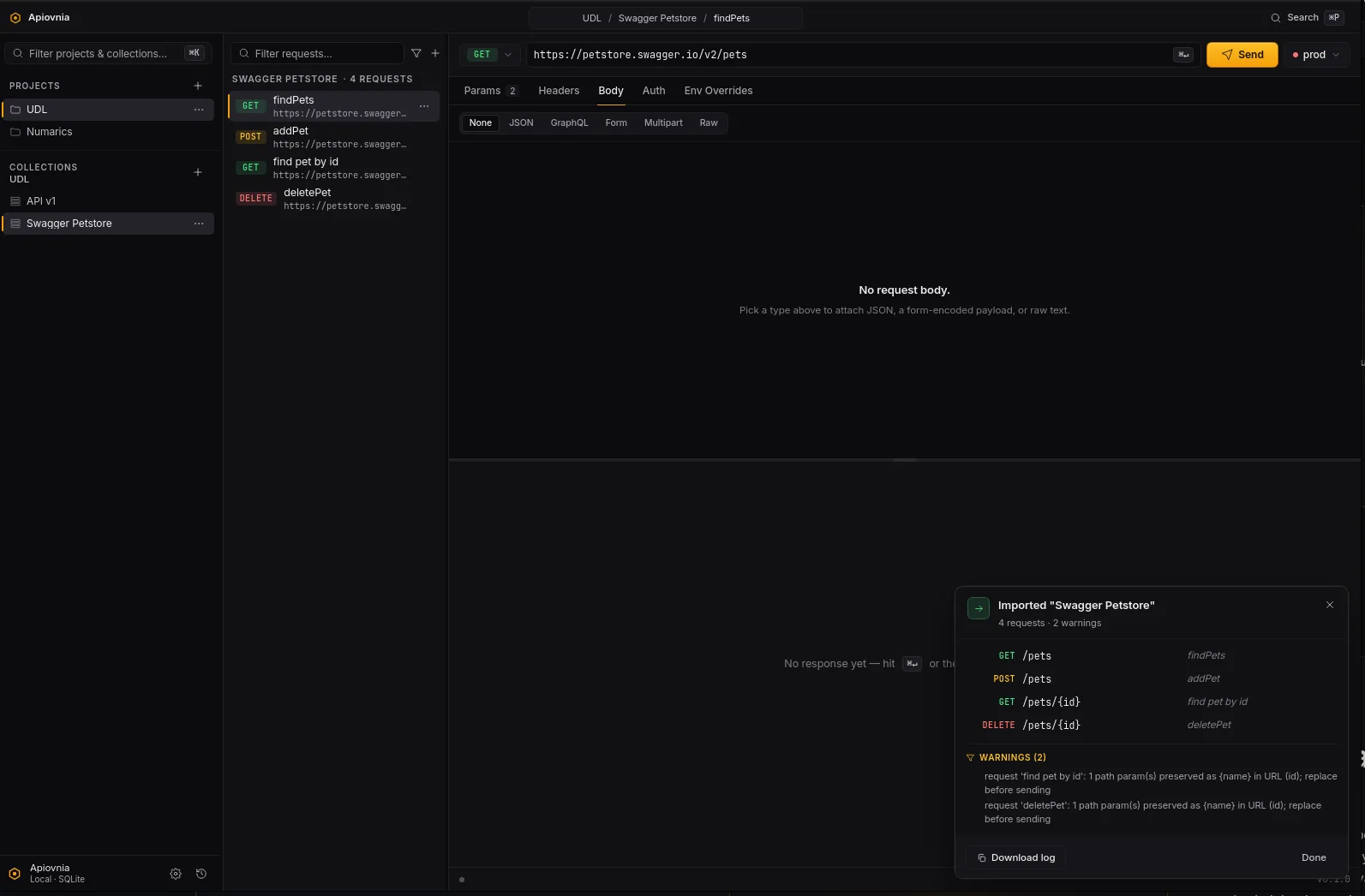
Right-click a project → Import OpenAPI…. Apiovnia ingests YAML or JSON, $ref-resolves request body schemas, and synthesises dummy values from properties / items / allOf with format hints (date-time, email, uuid, uri). Multi-server specs become real Environments, each with per-request URL overrides.
Right-click a collection → Export OpenAPI…. The exporter scrubs secrets with typed placeholders (<your-bearer-token>, <your-password>, <your-api-key>), infers per-request schemas into components.schemas with $ref links from the media type, and aborts on (method, path) collisions rather than producing a broken spec.
The whole flow is audited live in a persistent OpLog panel — bottom-right, no auto-dismiss, with collapsible warnings and a "Download log" button that writes a timestamped .log file. 56 unit tests + 1 integration test against the real Petstore spec.
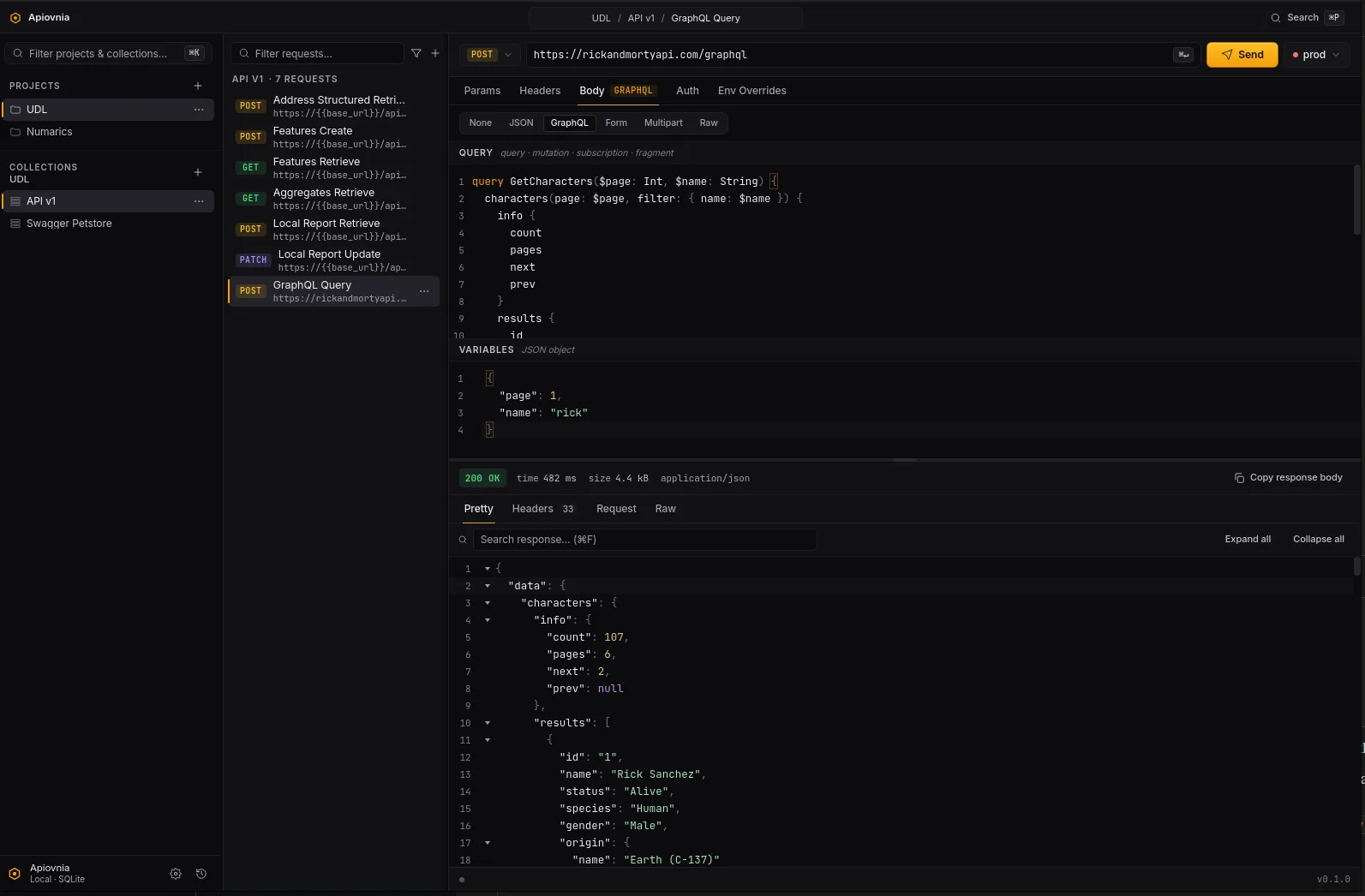
Per the GraphQL-over-HTTP spec.
Pick "GraphQL" as the body type. The editor splits into a syntax-highlighted query pane (query / mutation / subscription / fragment) and a JSON variables pane with parse-lint. The method picker is restricted to GET / POST while GraphQL is active — PUT / PATCH / DELETE are meaningless here.
POST ships the {query, variables} envelope as a JSON body — queries and mutations.
GET moves query and variables into the URL query string — read-only queries, cacheable. Apiovnia folds the params into the URL before the request builder is invoked, so the body is never sent in the GET path.
GraphQL rides every existing rail. Env variables, per-env overrides, history, "Copy as…" (the snippet generator folds GraphQL → REST before dispatch — POST becomes a JSON body, GET becomes query params), all unchanged. The CodeMirror mode is a tiny hand-rolled StreamLanguage — no cm6-graphql dependency. Schema-introspection autocomplete is a deliberate follow-up.
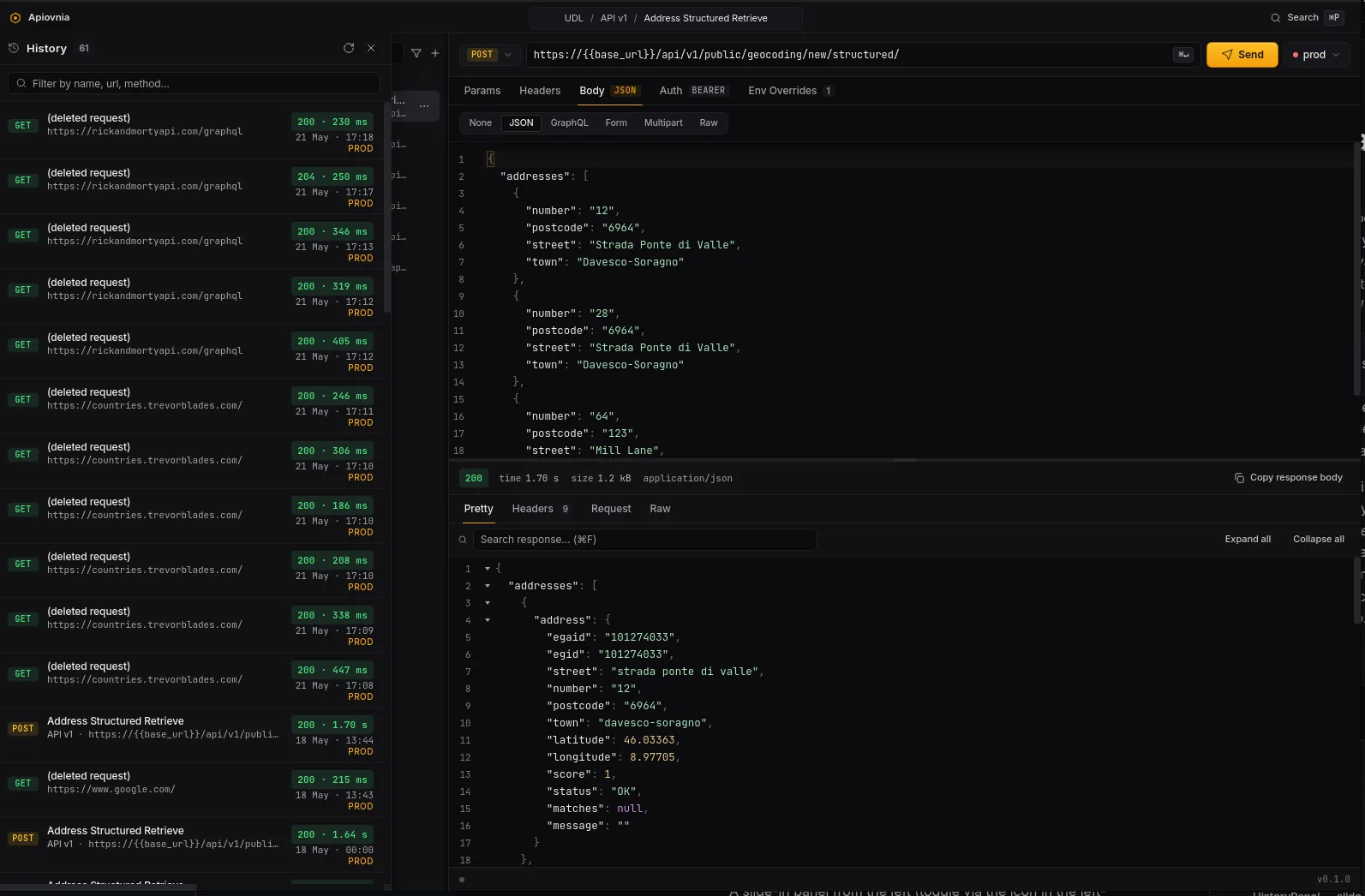
The last 200 executions, one click away.
A slide-in panel from the left (toggle via the icon in the left-panel footer). Each row shows the status pill, timing, env badge, request/collection breadcrumb, and substring filter on top. Click a row to navigate to the originating request — even across projects — and rehydrate that saved response. The retention limit is configurable in Settings.
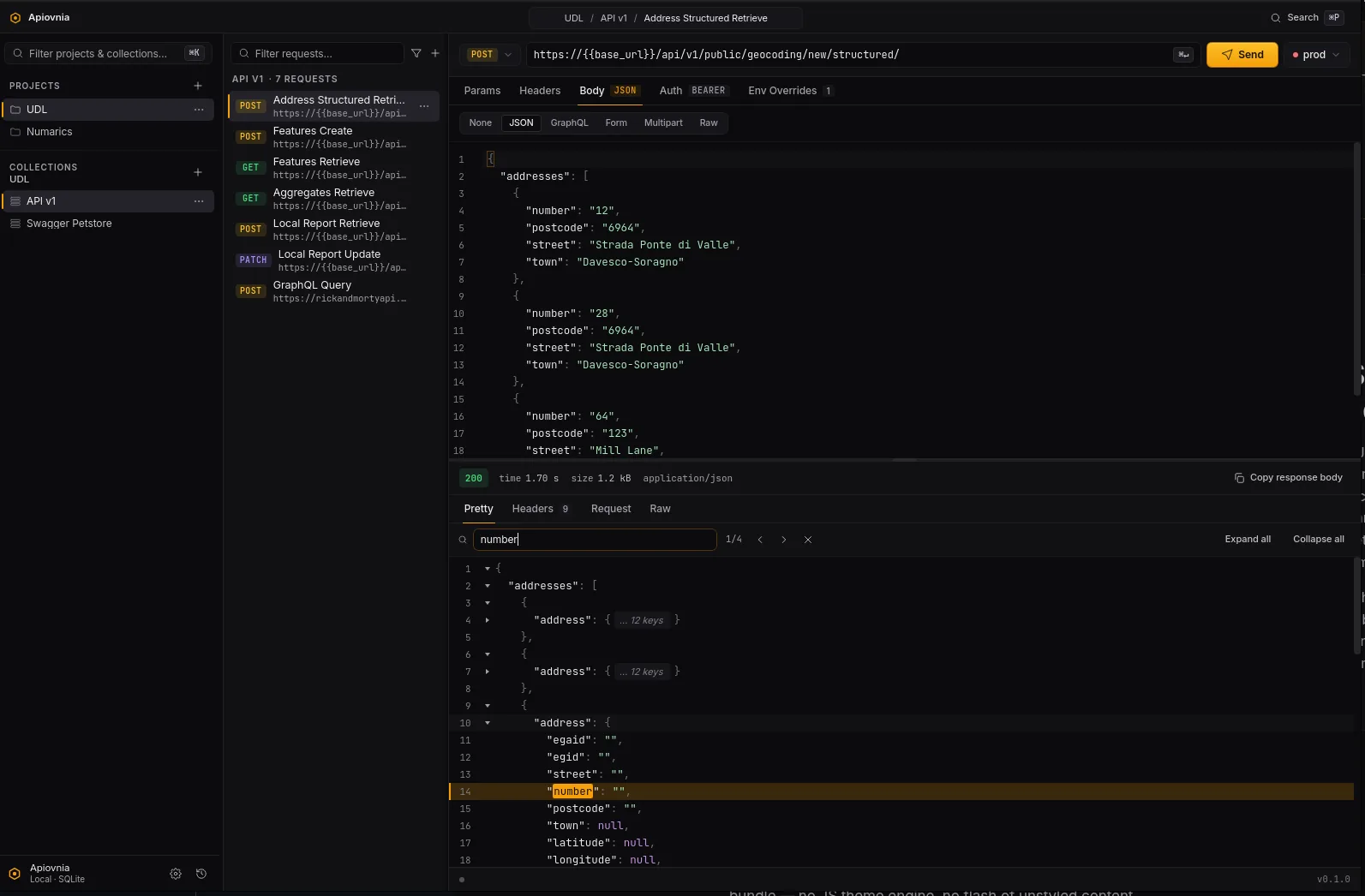
Custom JSON tree. Not a re-skinned widget.
The Pretty tab renders JSON through a custom Svelte 5 component: collapsible nodes, line numbers, a fold control on every container, hover-copy per value, ⌘ F in-tree search with next / prev navigation, and expand / collapse-all. For HTML / XML / plain text, the Pretty tab swaps to CodeMirror with the app's design-token theme.
The response side also has dedicated Headers, Request (the final URL, headers, and body sent on the wire — multipart preview reconstructed in RFC-7578 form because reqwest can't try_clone() streaming bodies), and Raw tabs.
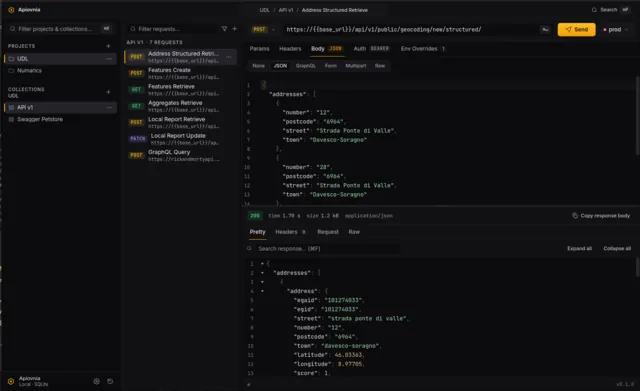
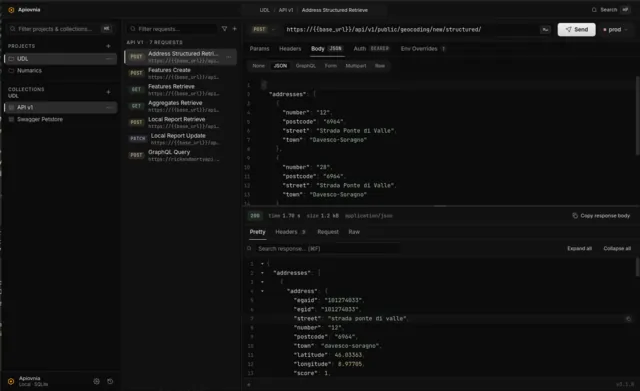
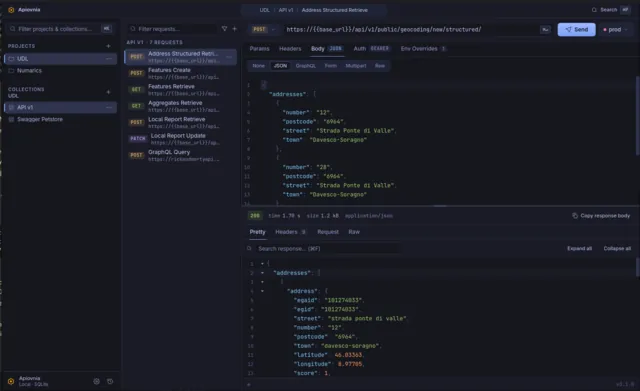
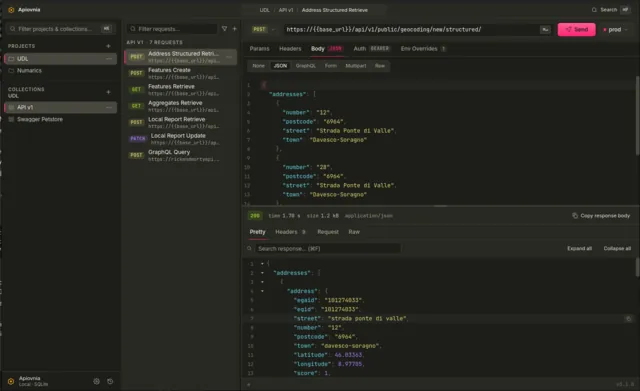
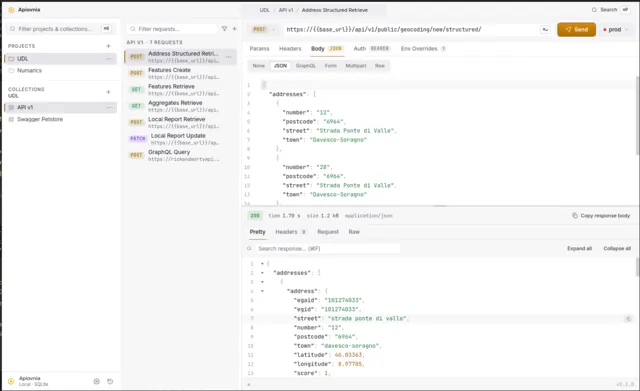
Five themes, applied live.
Settings (⌘ ,) → Appearance. Each theme is a CSS-variable bundle — no JS theme engine, no flash of unstyled content, applied at module init.
Built for muscle memory.
| ⌘ P | Open the command palette |
| ⌘ K | Focus the left-panel filter |
| ⌘ N | New request |
| ⌘ ↵ | Send the current request |
| ⌘ 1 / ⌘ 2 / ⌘ 3 | Focus left filter / middle filter / URL bar |
| ⌘ , | Open Settings |
| ⌘ F | Search inside the Pretty JSON tree |
On Linux and Windows, Ctrl stands in for ⌘.